How to convert PDF to Excel
- Drop your PDF file into the box above, or click it to choose from your device.
- Excel is already selected for you. Press "Convert to Excel (XLSX)".
- Download each new Excel file, or grab them all at once as a ZIP.
Why convert PDF to Excel (XLSX)?
PDF files are best for documents that must print and look identical everywhere. Excel (XLSX) is the better choice for spreadsheets with formatting, formulas and several sheets. It opens in excel, Google Sheets, Numbers and LibreOffice, while PDF opens in every browser and operating system.
This conversion reads the words and table layout out of your PDF file rather than copying its look, so images, colours and styling are left behind. Accuracy depends on how clear the original is: digital files come out exact, while photos and scans can have the odd misread character.
PDF vs Excel (XLSX) at a glance
| Excel (XLSX) | ||
|---|---|---|
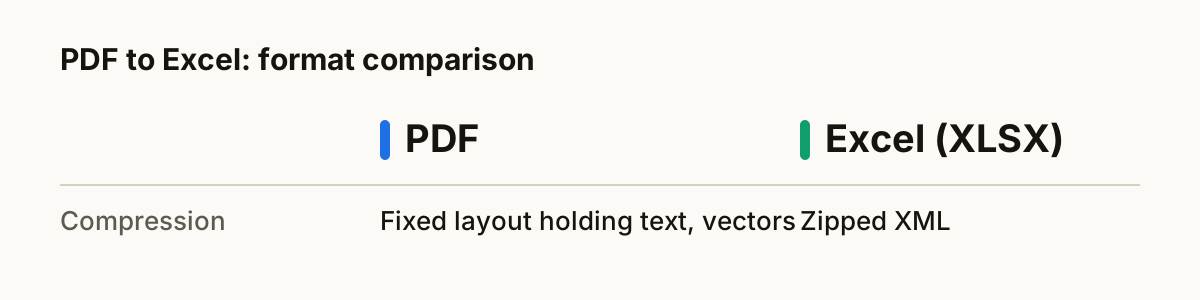
| Compression | Fixed layout holding text, vectors or scanned images | Zipped XML |
| Opens in | Every browser and operating system | Excel, Google Sheets, Numbers and LibreOffice |
| Best for | documents that must print and look identical everywhere | spreadsheets with formatting, formulas and several sheets |
What happens to your file
Most PDFs already contain their text, each word stored with its exact position on the page. The converter reads those positions with PDF.js and groups the words into rows and columns, which is more accurate than reading the page as a picture. If the PDF is a scan with no text inside, it automatically falls back to OCR instead.
Your table is read into rows and columns with SheetJS and Papa Parse, two widely used open-source data libraries, then written out in the new format. Numbers stay numbers, the first row becomes the column headers, and nested values that a flat table cannot hold are kept as JSON text inside the cell rather than being dropped.
Tips for a clean conversion
- Drop a whole folder's worth of PDF files at once. They convert one after another and you can download everything as a single ZIP.
- Keep your original PDF files until you have checked the results. Converting back later is rarely lossless.
- Scanned PDFs are pictures of text with nothing inside to copy. The converter spots this and reads them with OCR instead, which is slower and can misread faint or tiny print.
- Columns are rebuilt from where words sit on the page. Simple grids come out cleanly; merged cells or text that wraps inside a cell may land in the wrong column, so glance over the result.
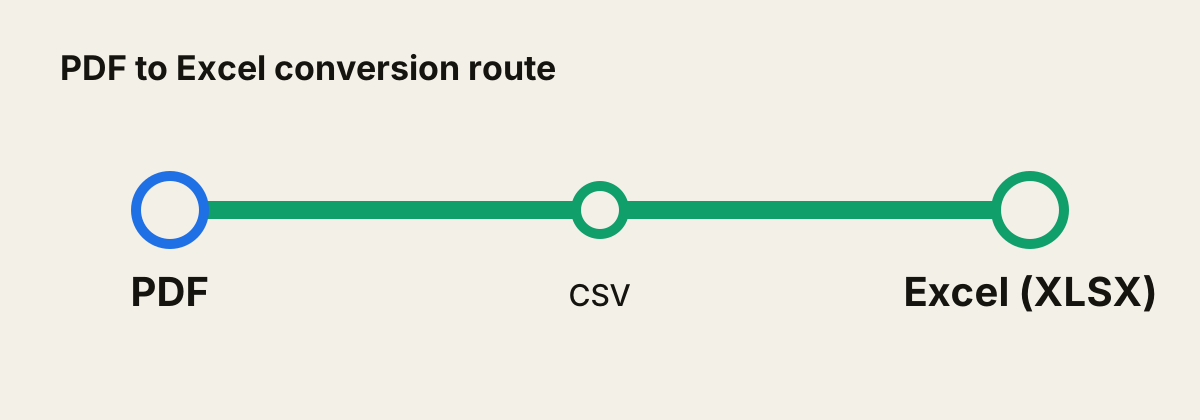
- There is no direct PDF to Excel converter that runs in a browser, so your file is passed through 1 intermediate format automatically.
About the formats
PDF: Fixed-layout document format that looks the same on every device.
Excel (XLSX): Microsoft Excel workbook format.
Questions
- Is it safe to convert PDF to Excel here?
- Yes. The conversion runs entirely inside your web browser. Your PDF file is never uploaded to a server, so nobody else can see it.
- Will I lose quality?
- This conversion reads the words and table layout out of your PDF file rather than copying its look, so images, colours and styling are left behind. Accuracy depends on how clear the original is: digital files come out exact, while photos and scans can have the odd misread character.
- Can I convert several PDF files at once?
- Yes. Drop as many files as you like. Each one is converted in turn, and you can download them one by one or all together as a ZIP.
- Is it free?
- Yes. There is no sign-up, no watermark and no limit on how many files you convert.
- Does it work on a phone?
- Yes. The converter runs in any modern browser, including Safari on iPhone and Chrome on Android, so you can convert PDF files without installing an app.