How to convert AVIF to JPG
- Drop your AVIF files into the box above, or click it to choose from your device.
- JPG is already selected for you. Press "Convert to JPG".
- Download each new JPG file, or grab them all at once as a ZIP.
Why convert AVIF to JPG?
AVIF files are best for the smallest possible web images. JPG is the better choice for photos you want to share, email or upload anywhere. It opens in everything: every phone, browser, OS and photo app, while AVIF opens in chrome, Firefox and Safari 16+, few desktop apps.
JPG uses lossy compression, so the converter encodes at high quality settings that look (or sound) identical to the original for everyday use.
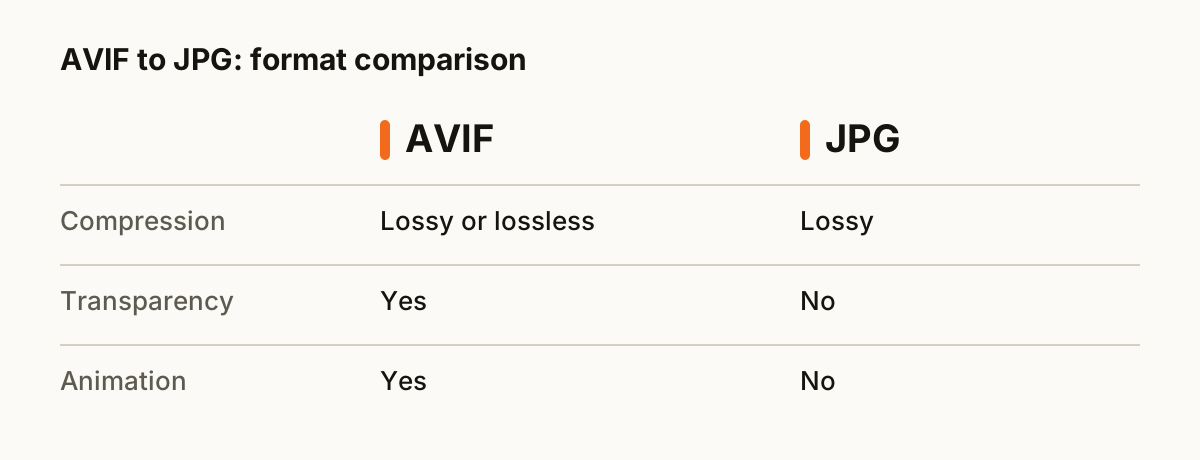
AVIF vs JPG at a glance
| AVIF | JPG | |
|---|---|---|
| Compression | Lossy or lossless | Lossy |
| Transparency | Yes | No |
| Animation | Yes | No |
| Opens in | Chrome, Firefox and Safari 16+, few desktop apps | Everything: every phone, browser, OS and photo app |
| Best for | the smallest possible web images | photos you want to share, email or upload anywhere |
What happens to your file
Your browser decodes the picture with its own built-in image decoder, draws it onto an invisible canvas at full resolution, and re-encodes the pixels in the new format. This is the same code your browser uses to show images on every web page, so it is fast, and the pixels never leave the tab.
Tips for a clean conversion
- Drop a whole folder's worth of AVIF files at once. They convert one after another and you can download everything as a single ZIP.
- Keep your original AVIF files until you have checked the results. Converting back later is rarely lossless.
- JPG is a lossy format. Convert from the best original you have, not from a file that was already compressed.
- Transparent areas turn white, because JPG has no transparency. Pick PNG or WebP if you need to keep it.
About the formats
AVIF: Next-generation image format based on AV1. Even smaller than WebP.
JPG: The most widely supported photo format. Small files thanks to lossy compression.
Questions
- Is it safe to convert AVIF to JPG here?
- Yes. The conversion runs entirely inside your web browser. Your AVIF file is never uploaded to a server, so nobody else can see it.
- Will I lose quality?
- JPG uses lossy compression, so the converter encodes at high quality settings that look (or sound) identical to the original for everyday use.
- Can I convert several AVIF files at once?
- Yes. Drop as many files as you like. Each one is converted in turn, and you can download them one by one or all together as a ZIP.
- Is it free?
- Yes. There is no sign-up, no watermark and no limit on how many files you convert.
- Does it work on a phone?
- Yes. The converter runs in any modern browser, including Safari on iPhone and Chrome on Android, so you can convert AVIF files without installing an app.